The Lindie alternative for teams that live in Linear
Both turn Linear into a client-facing portal. Helium adds multi-project rooms, label filtering, login-protected client accounts, and a product that is still actively shipped. Here is an honest side-by-side, current as of June 2026.
Free plan, no credit card. An official Linear integration.
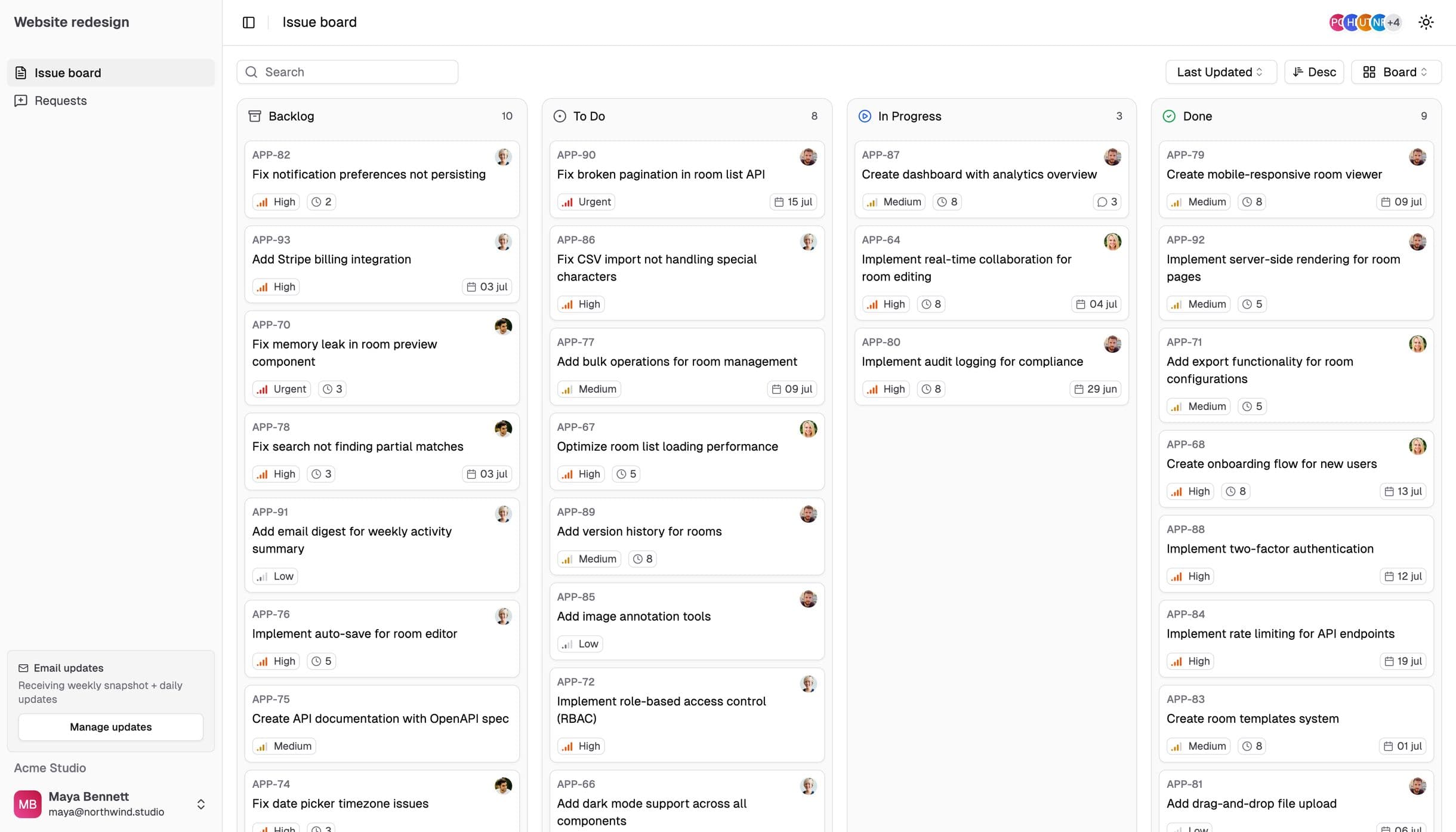
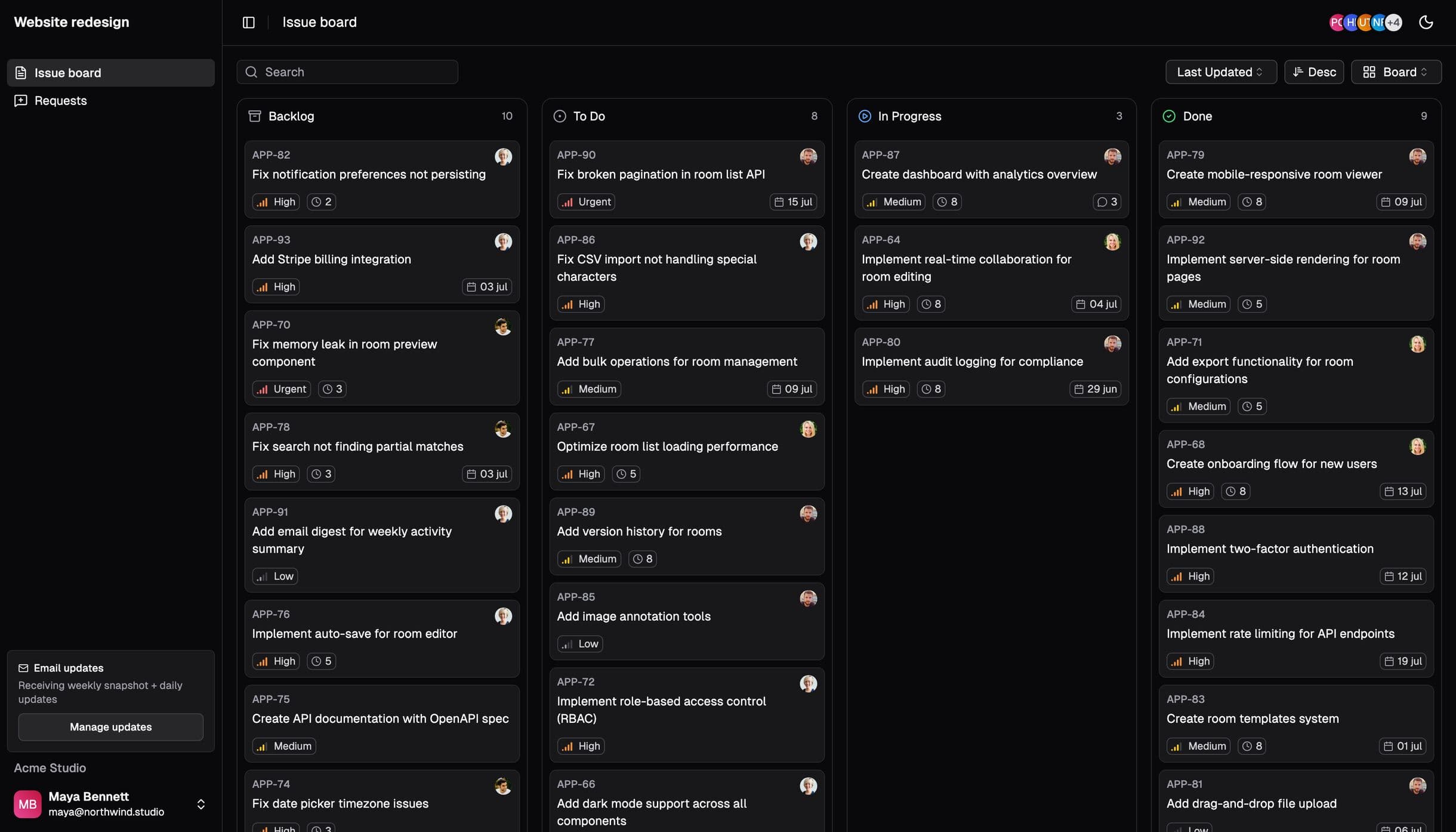
Same idea, more room to grow
Lindie was one of the first tools to put a Linear board behind a shareable client link, and for a simple one-project share it still does the job. It is listed in Linear’s integration directory and has a free tier, which makes it an easy first try.
Where teams tend to outgrow it is breadth. Lindie centers on a single project per share, the display is largely fixed, and its public changelog has gone quiet (it reads empty as of June 2026, and the most recent Product Hunt reviews are roughly two years old). For an agency juggling several client projects with different visibility needs, those limits add up.
Helium Rooms takes the same Linear-native idea and builds the agency workflow around it: many rooms, multiple projects per room, granular label filtering, configurable boards, optional login-protected client accounts, white-label branding, and responsive support from a team that is still actively shipping. The trade-off is honest: both products have a free tier that covers a single board, so if that is genuinely all you will ever need, either will do. Helium earns its price once you need more projects, label filtering, branding, or client accounts.
Helium Rooms vs Lindie, feature by feature
Where a cell is text rather than a check, it captures a real difference rather than a simple yes or no.
| Feature | Helium | Lindie |
|---|---|---|
| Native Linear sync | Real-time (webhook) | |
| Multiple projects in one portal | Single-project focus | |
| Team-scoped boards (all of a team’s projects) | ||
| Include / exclude issues by label | ||
| Login-protected client accounts | Public link | |
| White-label branding (logo + colors) | Yes (Pro) | Limited |
| Client issue requests (intake) | Board only | |
| Public, flat pricing | 39 euro/mo flat | Free to 99 dollars/mo |
| Official Linear directory listing | ||
| Active maintenance (June 2026) | Active | Cadence slowed |
Competitor details reflect public information and Helium’s own user research as of June 2026. Pricing and features change, so verify current details on lindie.app before deciding.
Where Lindie is genuinely a good pick
If you manage a single Linear project for one client and just want a shareable link, Lindie keeps that genuinely simple: connect Linear, choose a project, and send the link, on a free tier with almost nothing to configure.
It is also a legitimate, directory-listed Linear integration, so the core sync is real rather than a Zapier workaround. For a solo developer or a side project that only ever needs to show one board for free, that can be all you need, and paying for more would be overkill.
What agencies come to Helium for
More than one project, more than one client
Agencies rarely have just one board. Helium rooms hold multiple Linear projects, or an entire team’s projects, so each client sees exactly their work and nothing else. Outgrowing a single-project share is a common reason teams give for the move.
Flexible boards you control
Helium boards bend to the work: include or exclude issues by label so internal-only tickets never reach the client view, and shape what each client sees. Lindie’s display is largely fixed. Label filtering is the gap that teams evaluating Lindie raise with us most often.
Client accounts, not just links
Open rooms work with a plain link, but Helium also offers login-protected rooms where you invite specific client emails. Mix public and private rooms per client, and switch any room between modes at any time.
Support that actually answers
Helium is run by a responsive team, so questions get a fast, human reply. With Lindie’s maintenance cadence slowed, that responsiveness is a real difference for a tool your clients rely on every week.
A product that is still being built
Reliability and momentum are the reasons customers cite most for choosing Helium. More than one paying agency moved to Helium from Lindie after updates there dried up. Helium ships continuously and keeps the Linear sync current.
Moving from Lindie to Helium
Connect Linear
Sign in to Helium and authorize the official Linear integration. Nothing leaves Linear: Helium reads only the projects you choose, and your workspace stays untouched.
Recreate your share, with room to grow
Add the project you showed in Lindie, then add any others for that client. Apply label filters to hide internal tickets. This is usually the moment teams realize one room can replace several separate Lindie links.
Brand it and decide on access
On Pro, upload your logo and colors and set a custom domain. Choose an open link or invite specific client emails for a login-protected room. You can mix both across clients.
Share, and retire the old link when ready
Send the room URL. Because Linear stays the source of truth, there is no data to export or import, and nothing to back up. Keep your Lindie share live until you are confident, then switch.
Which one should you choose?
An honest decision framework. Both are Linear-native, so this comes down to scope.
Lindie may be the better fit if
- You need exactly one project shared with one audience
- You want the simplest possible setup, with nothing to configure
- You do not need branding, client logins, or more than one project
Helium is the better fit if
- You manage several clients or several projects
- You want flexible boards with label filtering
- You want branded, optionally login-protected rooms
- You want responsive support and a tool that is still maintained
- Reliability and active development matter to you
Frequently asked
- Is Helium a drop-in replacement for Lindie?
- Effectively yes. Both connect to your Linear workspace, so there is no data to import. You connect Linear, pick the projects and labels to show, and share the room. Most teams are up and running in a few minutes.
- Do my clients need a Linear account?
- No. Helium creates a separate, client-facing portal that mirrors your Linear data. Clients open a link, or log in with their own email on a protected room. They never touch your Linear workspace, so there are no guest seats to pay for.
- Can I show more than one project in a single portal?
- Yes. This is the most common reason teams move from Lindie. A Helium room can pull from multiple Linear projects, or be scoped to an entire team, so a client sees all of their work in one place.
- Can I try Helium for free?
- Yes. The free tier includes one room so you can connect Linear and share a board before paying anything. Pro is 39 euro per month and adds more rooms, white-label branding, custom domains, and login-protected client accounts.
- Is Lindie still maintained?
- We can only speak to public signals. As of June 2026, Lindie’s changelog reads empty and its most recent reviews are roughly two years old. Verify the current status on lindie.app. Helium ships updates continuously and is actively supported.
Move your client boards to a portal that keeps up
Connect Linear, build a branded room in minutes, and share it with your clients today. Free to start, no credit card.